
Home / Learn / Contactless and tap to pay
Contactless tap to pay, explained for merchants.
Contactless tap to pay lets customers pay by holding a card, phone or watch near your terminal. It is quick at the counter, keeps the card in the customer’s hand and uses one-time codes instead of the card number, which makes it one of the more secure ways to take a card.
Key facts
| Technology | NFC, a short-range radio signal |
| Works with | Cards, phones, watches |
| Security | One-time code per payment |
| Equipment | Any NFC-enabled terminal |
| Phone as reader | Tap to pay on a compatible phone |
Contactless tap to pay is a way of taking card payments where the customer holds a contactless card, phone or smartwatch near an NFC-enabled terminal instead of inserting or swiping. It is fast and secure because each payment uses a one-time code, and most current terminals support it without extra equipment.
If your terminal is more than a few years old, it may not accept tap at all. This guide explains how contactless works, what it costs, what you need to accept it and how phone-based tap to pay fits in.
How a tap payment works
Contactless payments use near-field communication (NFC), a radio signal that only works over a very short distance, a few centimeters. Here is what happens in the second or two after a tap:
- The terminal shows the amount and lights up its contactless symbol.
- The customer holds their card, phone or watch near the symbol.
- The card or wallet sends a one-time code, built from the card’s chip, along with the payment details.
- The terminal sends the authorization to the processor and card network, just like a chip payment.
- The approval comes back and the customer is done.
Phone and watch wallets such as Apple Pay, Google Pay and Samsung Pay add another layer. They use a device-specific token in place of the real card number, and the customer usually confirms the payment with a fingerprint, face scan or passcode on their own device.
Why contactless is secure
Merchants sometimes worry that a payment without a card insert is less safe. In practice, contactless uses the same chip-level security as an inserted chip card:
- One-time codes. Each tap produces a code that can’t be reused, so copying it doesn’t help a thief.
- Tokens in wallets. Phone wallets never share the real card number with your terminal.
- Short range. The card has to be held very close to the reader on purpose.
- Card stays with the customer. There is no handing the card to a cashier or server.
For more on how chip technology protects you, see EMV chip cards and tokenization and encryption.
What contactless costs
For a tapped card, interchange is generally priced as a card-present payment, the same family as an inserted chip card. That is usually lower than a card keyed in by hand or entered online. Tapping doesn’t add a separate fee on its own.
The bigger cost question is equipment. If your current terminal doesn’t support NFC, adding contactless means a new device. Before you buy, check whether you own your current terminal or are under a lease, and whether a new device will be tied to one processor. Our guide on terminal leasing pitfalls covers the traps.
| Entry method | How it’s treated | Relative cost |
| Tap (contactless) | Card-present, chip-level security | Generally lower |
| Insert (chip) | Card-present, chip-level security | Generally lower |
| Swipe (magnetic stripe) | Card-present, older technology | Can be higher risk on chip cards |
| Keyed or online | Card-not-present | Generally higher |
Exact interchange depends on the card and card-brand tables, which change from time to time. See card-present vs. card-not-present rates for more.
Tap to pay on a phone
Tap to pay on a phone turns a compatible smartphone into a contactless reader using an app, with no separate card device. It is useful for:
- Occasional sales away from the counter, such as deliveries or service calls.
- Pop-up shops, events and markets.
- A backup when the main terminal is busy or down.
There are limits. A phone reader generally accepts only contactless cards and wallets, not chip inserts or swipes, so a customer with an older card may be stuck. It usually doesn’t print receipts, and the phone’s battery and signal matter. For steady volume, a dedicated mobile terminal is usually the stronger choice. Our comparison of countertop vs. mobile vs. POS lays out the options.
Some contactless payments above a certain amount may ask the customer for a PIN or other verification. The limits are set by card brands and issuers and can vary, so let staff know it can happen.
Getting your counter ready
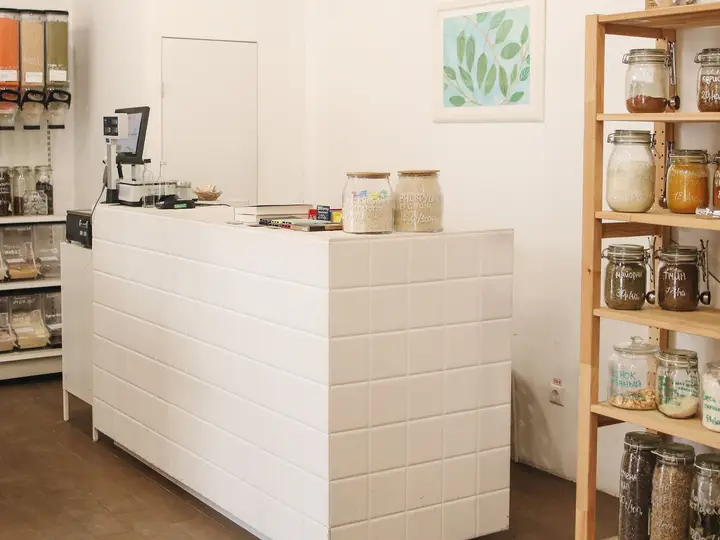
- Put the terminal where customers can reach it without handing it over.
- Make sure the contactless symbol is visible and not covered by a stand or case.
- Train staff to say “tap, insert or swipe” rather than reaching for the card.
- Test a phone wallet payment yourself after setup, so you know what customers will see.
Contactless fits some businesses especially well. In restaurants, a handheld terminal brought to the table lets guests tap and go without the card leaving their sight. In grocery and convenience stores, tapping speeds up lines when every second counts. At fuel stations and outdoor events, it means fewer worn card slots and less handling of cards in bad weather. In medical and service offices, it keeps the counter quick and contact light.
Whatever your setup, keep chip and swipe available too. Not every customer carries a contactless card, and some business and older cards still need to be inserted.
What PayZoom does
We check whether your current equipment accepts contactless and tell you plainly if it does. If you need a device, PayZoom hardware includes the Dejavoo Q Mobile, a phone-size terminal for insert, swipe and tap wherever you sell, along with countertop and handheld models. We also offer mobile tap-to-pay and rental terminals. We are platform-agnostic, there are no early termination fees, and a real person answers when you call. See also how to choose a card terminal.
Want a straight answer about your own statement?
Send us one recent statement. We line-item every fee and tell you what you are really paying. Free, no pressure.
Or call 866.242.4325. A real person answers.
Getting a wireless solution in place was almost imperative at our stadiums in both Columbia, South Carolina and Mobile, Alabama.
Betty Adams, Comptroller, Mobile BayBears
Since 2006, a person who knows your account.
| Founded | 2006, Daphne, Alabama |
| Clients in | Nearly every U.S. state |
| Support | Never outsourced |
| Registered partner of | Cygnus Payments and Evolv Payment Solutions |
Questions merchants ask us
Straight answers. If yours is not here, call us and a real person will answer it.
Is contactless tap to pay safe for my business?
Yes. Tap payments use the same chip-level security as inserted chip cards, with a one-time code for each payment, and phone wallets add a token so your terminal never sees the real card number. The card also stays in the customer’s hand. Contactless is generally considered one of the more secure ways to take a card in person.
Do I need a new terminal to accept tap payments?
Only if your current terminal doesn’t support NFC. Most current models do. Look for the contactless symbol on the screen or near the card slot, or tell us your terminal’s make and model and we will check. If you need new equipment, check first whether you are under a lease.
Does contactless cost more than chip?
Generally, no. A tapped card is treated as a card-present payment, in the same family as an inserted chip card, and there is no separate tap fee from the card networks. Exact interchange depends on the card type and the card brands’ current tables.
Can I accept Apple Pay and Google Pay?
Yes, with any terminal that accepts contactless payments. Phone and watch wallets use the same NFC technology as contactless cards. You don’t need a separate agreement with the wallet providers to accept them in person. Test one yourself after setup so you know how it looks at your counter.



Guides on this topic
Send us one statement. We’ll tell you exactly what you’re paying.
No cost and no pressure. If your current rate is fair, we’ll say so. We typically reply the same business day.
| Call toll-free | 866.242.4325 |
| Local | 251.626.8100 |
| nate@bizpayzoom.com |